

Inside your Shopify admin
Store Manager opens inside your Shopify admin. These screens are from a demo store.
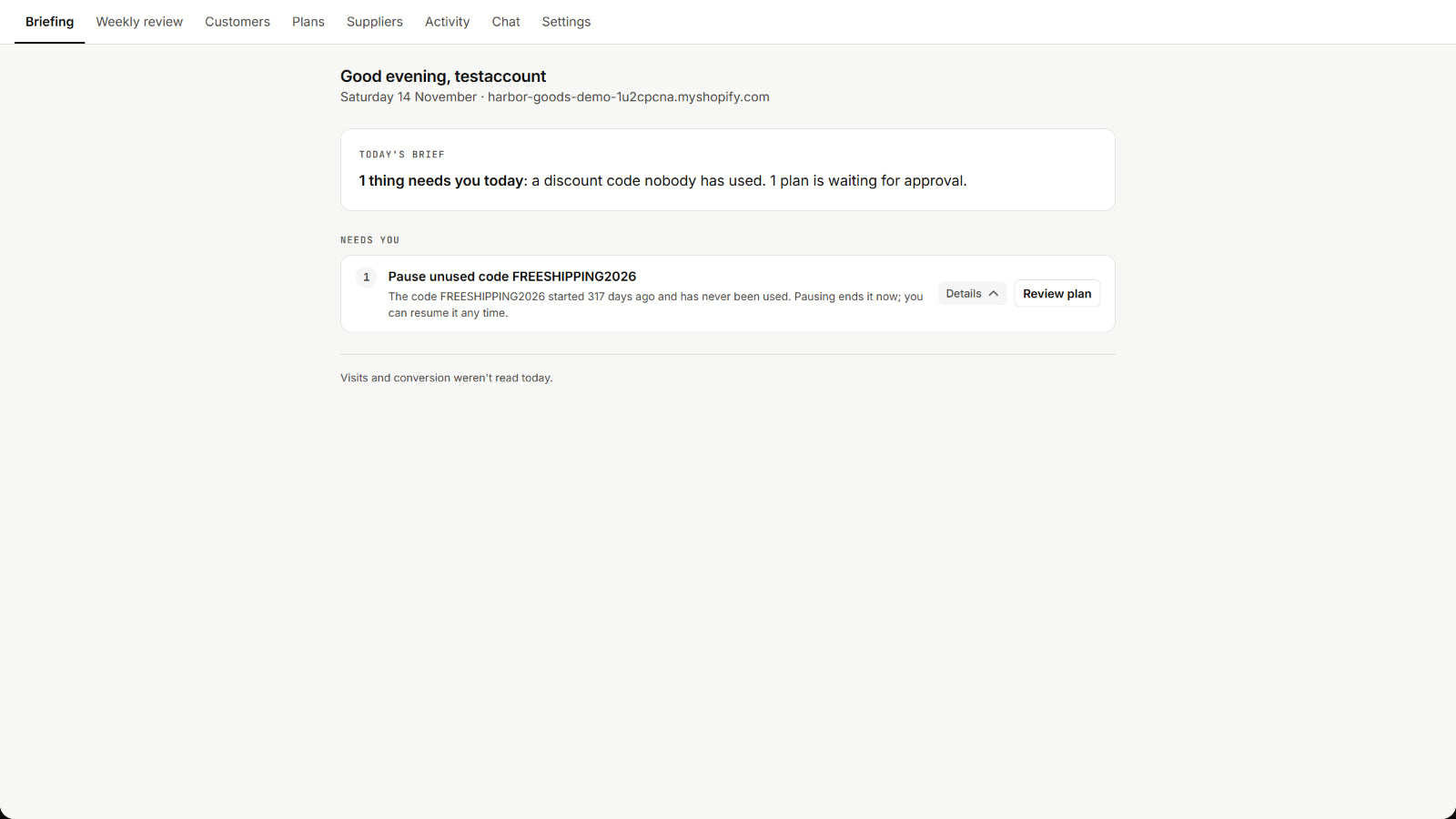
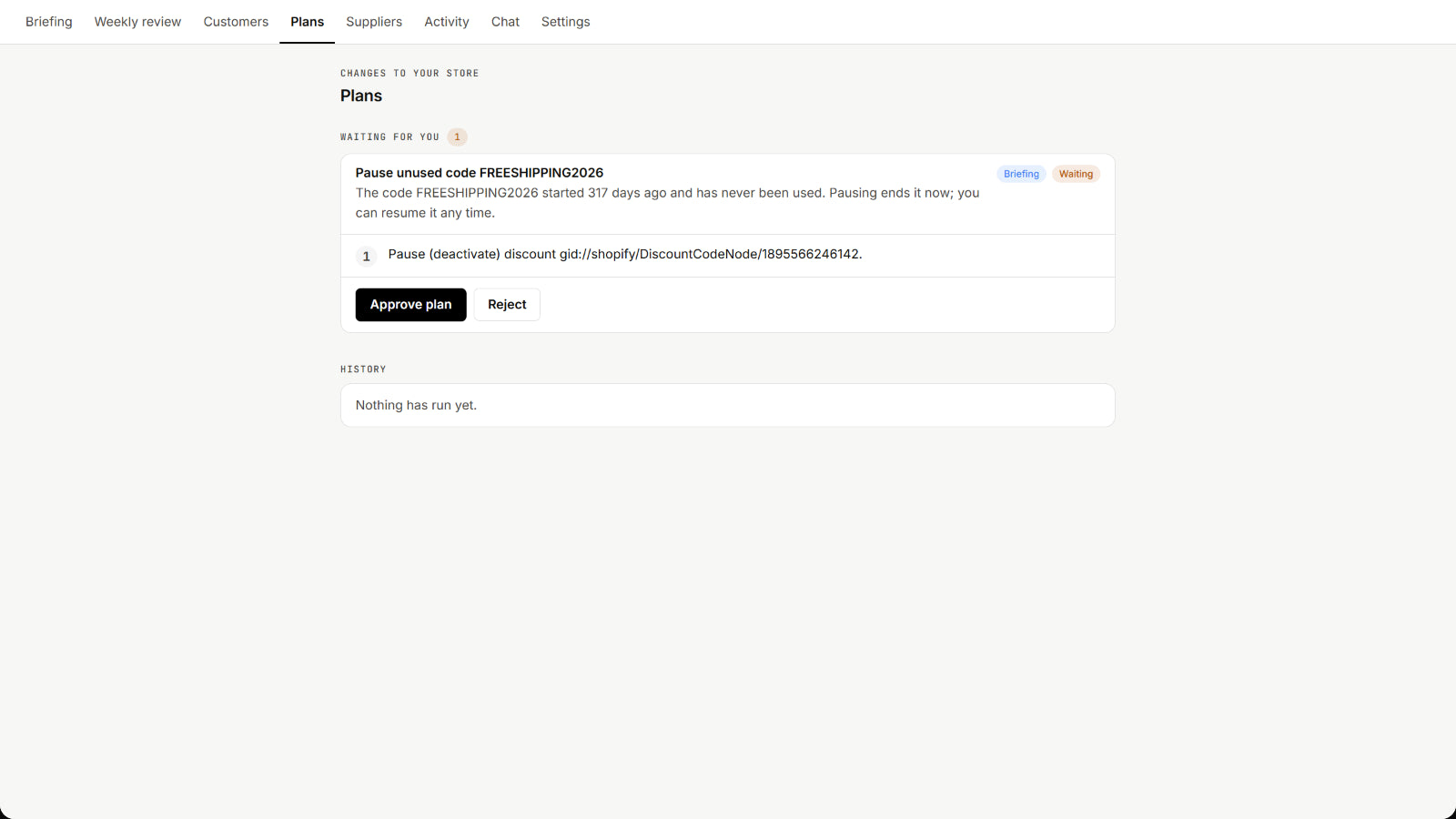
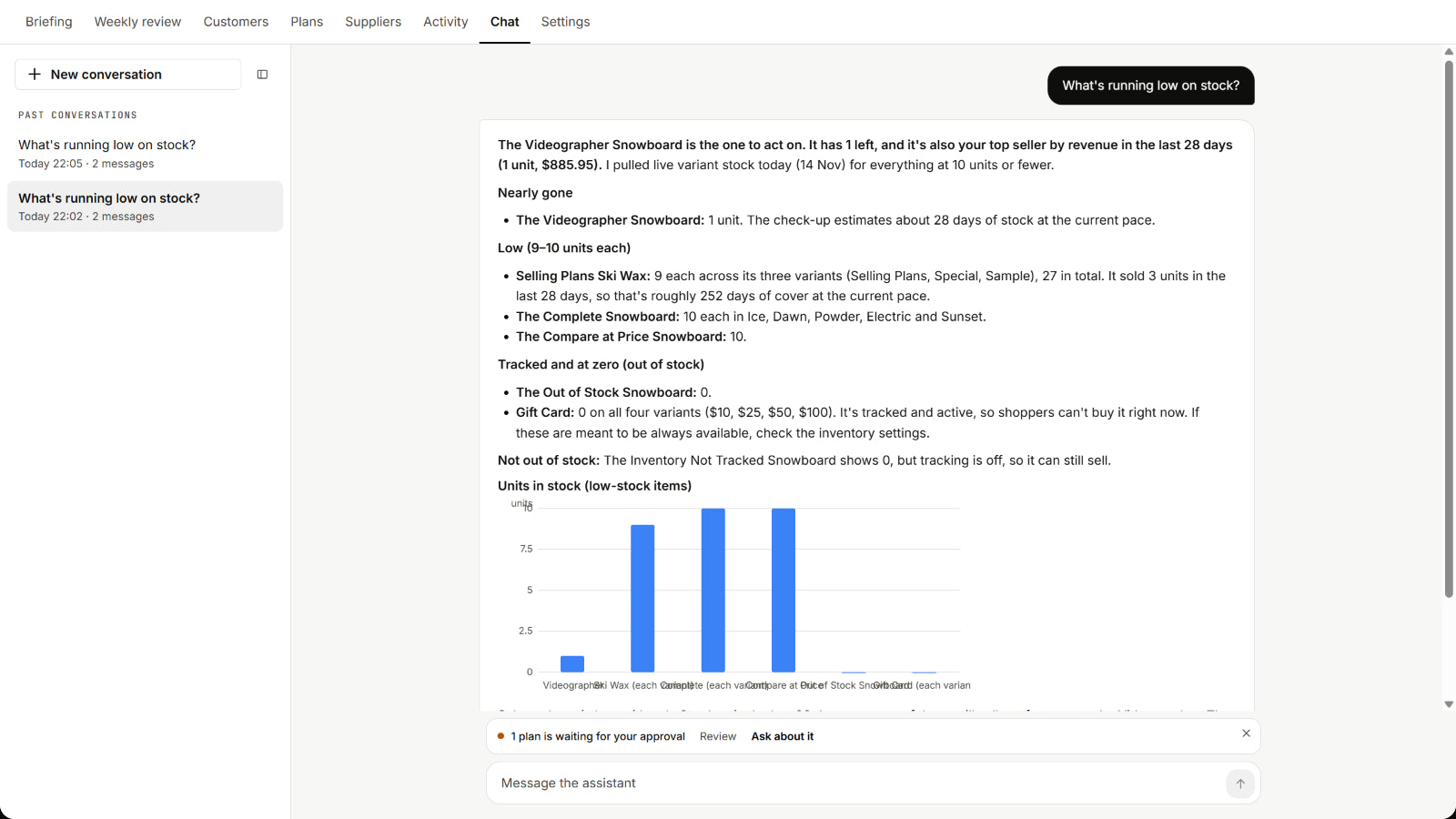
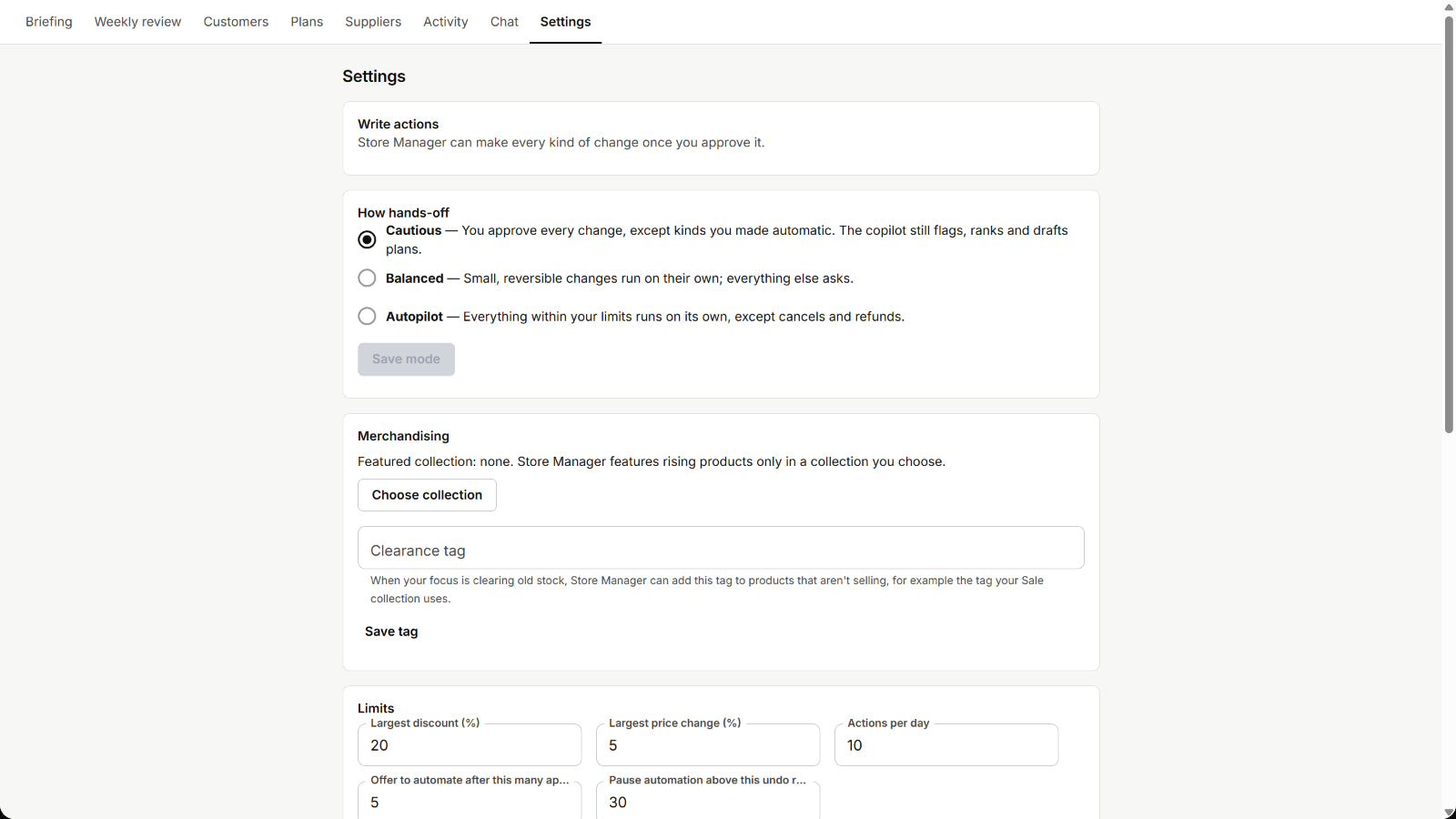
You decide what changes
- Approve once. Approve a set of changes in one go, with a preview of each change.
- Choose how hands-off it is. Cautious: you approve every change, except kinds you have made automatic. Balanced: small, reversible changes run on their own, and everything else asks. Autopilot: everything within your limits runs on its own.
- Cancels and refunds always ask. They never run without your confirmation, in any mode.
- Limits you set. The largest discount, the largest price change and the number of actions per day.
- A history you can undo. Approved changes are kept in a history, with Undo where a change can be undone.
- A weekly growth review. Each week it prepares a review against your goals, with the evidence behind each suggestion.
What it connects to
Your Shopify store
Reads your products, inventory, discounts, orders and store reports, and makes only the changes you allow.
Olbrain
Setup uses an Olbrain account. Store Manager’s screens run on Olbrain Screens, the workspace where people review, decide or act.
Through Shopify
Billed through Shopify, with a free trial. The current price is on the Shopify App Store listing.
Questions
What do I need to start?
A Shopify store and an Olbrain account. Install Store Manager from the Shopify App Store, open it in your Shopify admin, and finish setup with your Olbrain account.
Can it change my store without asking?
Only in a mode that allows it, and only within the limits you set. In Cautious mode you approve every change, except the kinds of change you have made automatic. Cancels and refunds always need your confirmation.
What does it cost?
Store Manager is billed through Shopify, with a free trial. The current price is on its Shopify App Store listing.
Can I build something different for my store?
Yes. Describe the agent you want to Olbrain Alchemist, which plans it, builds it, tests it and asks before anything goes live. For a customer-facing example, see the Shopify customer-support agent.
Talk to Olbrain
To talk through Store Manager, or an agent system built for your store, contact Olbrain.
Contact Olbrain